
Death by a thousand paper cuts: the state of document-based apps with SwiftUI
It’s no secret that I enjoy creating document-based apps. They're not all sunshine and rainbows, however. The more I work on these sorts of apps, the more paper cuts and quirks I encounter that genuinely make my head scratch.

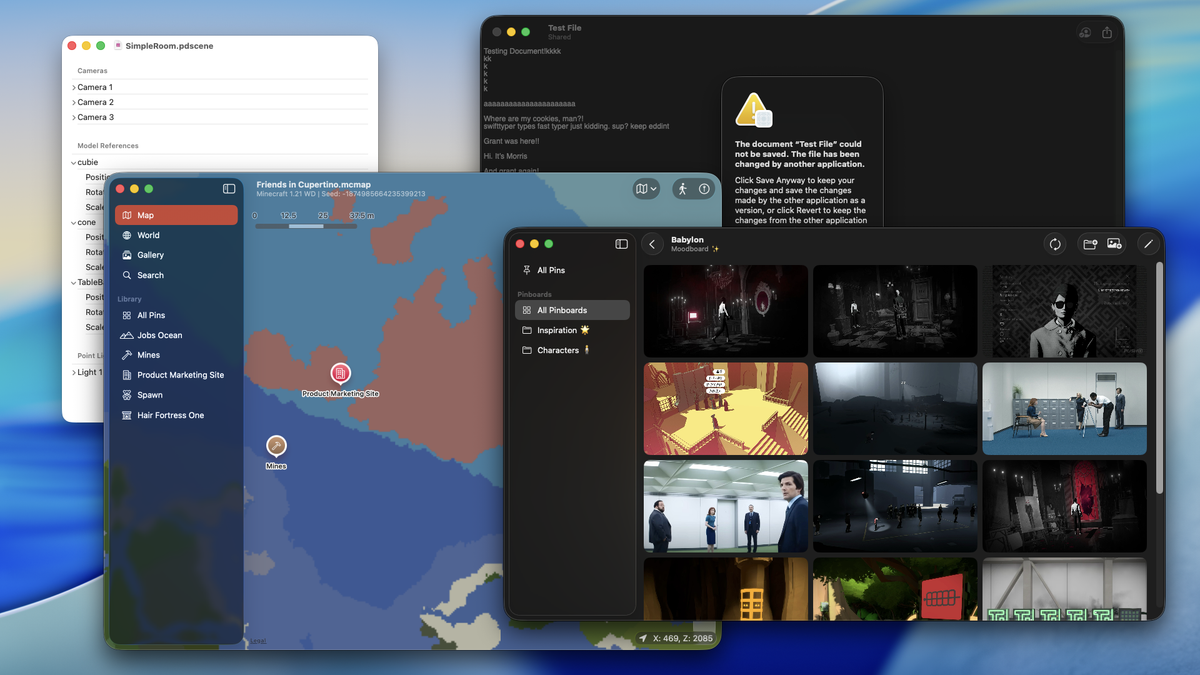
I planned to write about something else entirely when I started working on this post. I would’ve written another “I wrote yet another app to solve a specific problem of mine” post, highlighting my findings on SwiftData and how it interacts with document-based apps. I would’ve shown off screenshots of this new app that you can’t download because it’s a personal tool, and you would’ve likely been disappointed. Yet, the more I thought about this topic, the more I wanted to discuss a topic far above its scope: document-based from a broader perspective.
It’s no secret that I enjoy creating document-based apps. There’s something about making your own file format that strikes me the right way, even if it can be a little obtuse. Perhaps it’s me holding on to the principle of “file over app”, or I just enjoy seeing my own file extension be registered in macOS. Creating the apps that read and write these formats are just as entertaining as the format itself, letting me experiment and explore different ways to represent data.
Document-based apps aren’t all sunshine and rainbows, however. The more I work on these sorts of apps, the more paper cuts and quirks I encounter that genuinely make my head scratch. And, I think now would be a good time to go over these for the fellow developers that wish to enter this world of app development.
Oops! All navigation views
I tend to run into issues with navigation when creating document-based apps with SwiftUI, especially for iOS. By default, SwiftUI provides a navigation stack on iOS for you, so that you can display toolbar items out the gate (macOS doesn’t do this, but you can still have toolbar items, anyway). This sounds great in theory until you want to experiment with other forms of navigation outside the standard navigation stack. Want a navigation Split View with a sidebar? Good luck hiding the original navigation bar and trying to futz with toolbar items. How about a tab view with multiple tabs? Same story, but now you have even more navigation stacks depending on what you put into those tabs. And what about sheets? Well, on iOS, the document title menu seems to carry throughout, smacking itself inside of sheets and anywhere else it can find.
Undoubtedly, this “free” navigation stack I get often causes more problems than it solves. You might’ve seen my apps like Alidade use tab views or other forms of navigation, and it feels like it works. Yet I can guarantee there’s a layer of duct tape and tears holding that presentation together, and I feel awful about it. While I understand why this happens in the first place, it does feel like some assumptions are being made about how these types of apps are supposed to be developed in Apple’s eyes. If only everything worked like a Numbers spreadsheet!
Everything comes for free... except when it doesn’t
Another major problem I tend to notice with document-based apps in SwiftUI is that some features that you’d expect to work just... don’t. When I worked on Alidade’s big redesign to support Liquid Glass and OS 26 across platforms, I wanted to leverage the menu bar that arrived on iPad (and has existed in macOS for years). Yet, I stubbornly keep running into a problem where I can’t make document-specific menu bar items, despite the docs stating I can do so.
For example, if I wanted to have window-independent routing, I would need to do something like:
@Observable
final class MyRouter { ... }

struct ContentView: View {
    @State private var route = MyRouter(...)

    var body: some View {
        MyView()
            .focusedSceneValue(route)
    }
}

struct MyApp: App {
    var body: some Scene {
        DocumentGroup(...) { config in
            ContentView()
        }
        .commands {
            MyCommandMenu()
        }
    }
}

struct MyCommandMenu: Commands {
    @FocusedObject(MyRouter.self) private var myRouter

    var body: some Commands {
        CommandMenu("Foo") {
            Button("Do This") {
                myRouter?.route = .homepage
            }.disabled(myRouter == nil)
        }
    }
}
And this works fine on macOS. But iPadOS 26? For some reason, there’s an invalid focus update, causing this menu system to break entirely. So I can’t do anything with independent documents or windows at the menu bar level unless this issue is fixed. And it’s not an issue that happens generally, either; testing this with a standard WindowGroup that is not for document-based content proves that it does work correctly. I have been giving Apple feedback on this particular issue (ID: FB19642878), and I’ve yet to see a fix. So, for those of you that wonder why Alidade’s menu bar seems to do thing across all your open windows, I’m sorry.
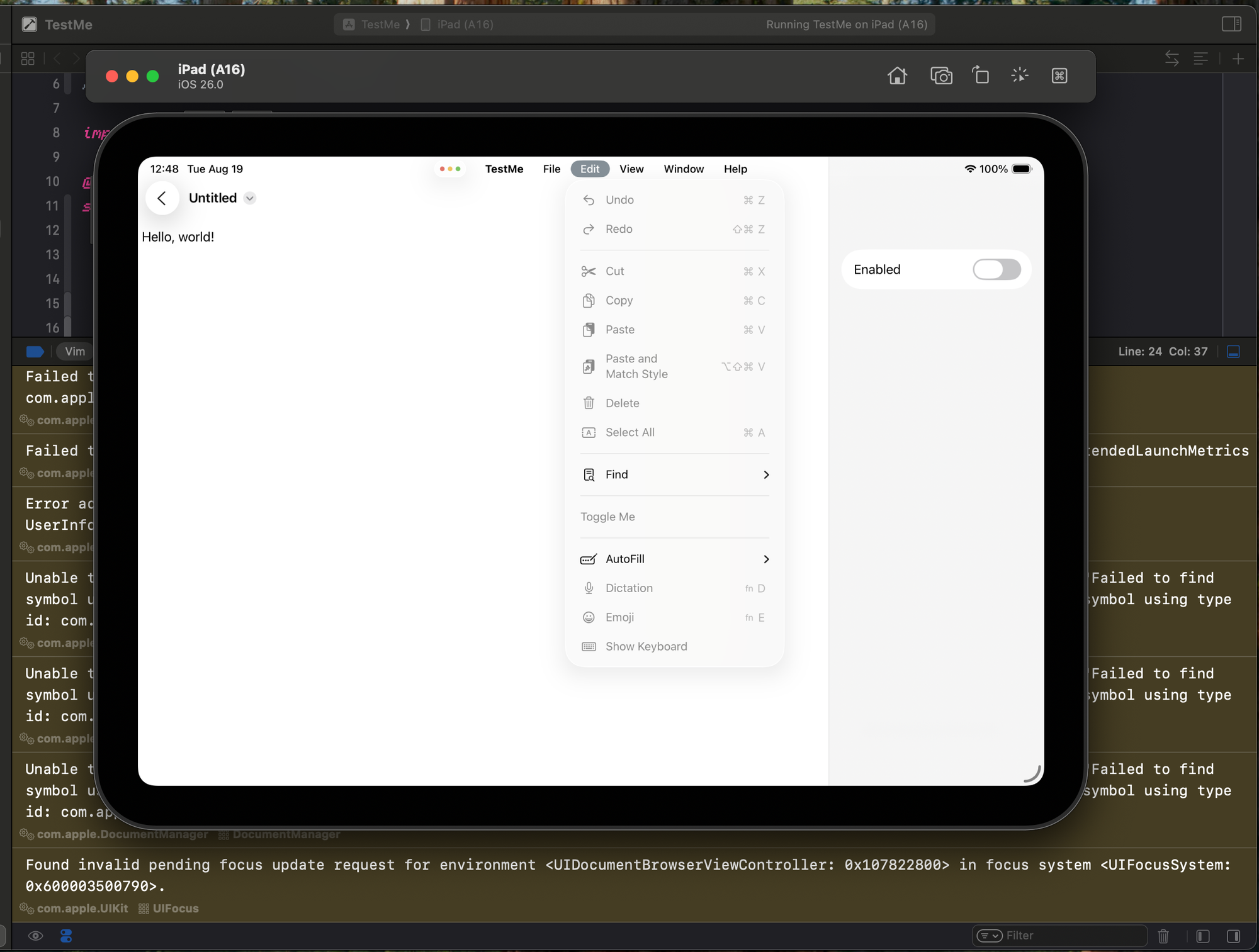
The menu bar is just one of many examples I’ve noticed over time. Want to add your own welcome screen that picks documents or a new window group? On macOS, this causes the New Document button to disappear when you want to open a document. How about changing the navigation title to a name inside your file? Works fine on iOS, as it registers correctly, but macOS always forces the title to be the file’s name.
Let’s not collaborate in real time
I always loved the idea of realtime collaboration and being able to work on the same document together. There’s something magical about watching cursors fly and text appear and disappear in Pages when I share it with a friend. And it’s often a request I get from folks using Alidade or my other apps.
Yet this seems to be the hardest problem for engineers to solve. Documentation on this functionality when you want to merely leverage iCloud Drive seems practically nonexistent, and you have to fill in the pieces yourself. Oh, and the Shared with You framework doesn’t have any SwiftUI views, so you’re going to need to write wrappers as well. I had to spend a good few hours researching this topic with friends and writing my findings in a repository for any mortal that dares accomplish this feat.
When you do end up figuring out how to support collaboration with iCloud Drive, you’re only partly there, since document-based apps don’t seem to handle any type of conflict resolution out of the box. So you would also need to look into versioning systems and write a conflict resolution utility yourself. Good luck trying to figure out where you need to apply this so that iCloud can pick up on it!
It doesn’t add up
On top of the issues mentioned above, there are plenty of other paper cuts I run into on a regular basis:
- For some reason, the document-based app template doesn’t automatically set the
UISupportsDocumentBrowserkey to YES in the project’s Info.plist. So when you try to run the app on iPhone or iPad, it simply refuses to create a document correctly until you happen to notice this and add the key back in. - Testing facilities for document groups and
FileDocumentstructures are almost non-existent. Want to test that you’re loading a file correctly when SwiftUI does it? Nope, sorry,ReadConfigurationis off limits. If you can help it, create your own initializer likeinit(wrappers: FileWrapper)and test that. It won’t get you full coverage, but it’s at least something. - If you’re using SwiftData, you effectively lose control of how your file format is structured, so if you wanted folks to be able to edit the internals without using your app to do it... good luck. You’ll eventually have to let the SwiftData Jesus take the wheel.
- Want to have a share sheet extension that works with your app to add things to your documents? You’ll need to wade through the empty waters of articles and developer threads to figure out how to communicate with a document. And that’s assuming you can even do it in your App Group.
“Oh, grow up!”
My frustrations with document-based apps in SwiftUI can be effectively summarized into a single point: the APIs are still the “1.0 MVP” state and haven’t evolved whatsoever. I could forgive the shortcomings of the APIs and these paper cuts if I knew that the APIs would be improved over time. But as the years go by since their introduction in 2020, it’s starting to feel like it’s becoming less of a reality, and I get the sense that the teams at Apple aren’t clamoring to improve them any time soon. Sure, these APIs do work pretty well for really basic use cases, like a simple text editor. But the moment you want to do anything more complex than that, and you’re met with a world of pain and suffering like you’ve never seen before.
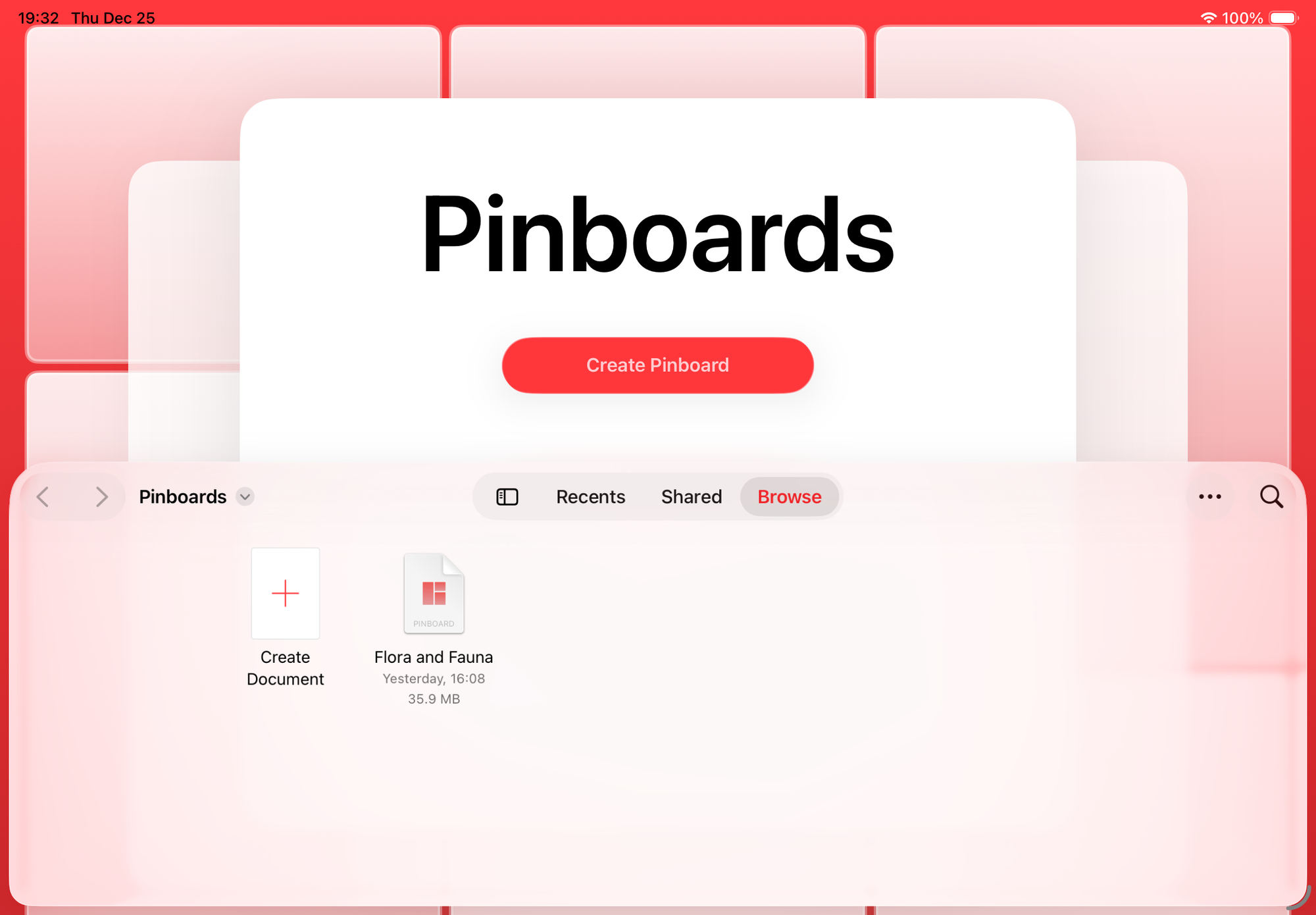
That’s not to say that they don’t care at all. With the release of iOS and iPadOS 18, we got a new document browser UI with new SwiftUI views for it to boot, and it works pretty well. And all the way back in iOS and iPadOS 16, we got new views for document editing in hopes of making “desktop class” apps for iPad. However, I feel these additions are the equivalent of putting lipstick on a pig, and the core problems with the APIs have yet to be addressed.
I don’t plan on abandoning document-based apps any time soon, and I still heavily enjoy making them. I’m hopeful that at some point, Apple will come back to improve the APIs. But, man, is it ever so painful to work on them today.